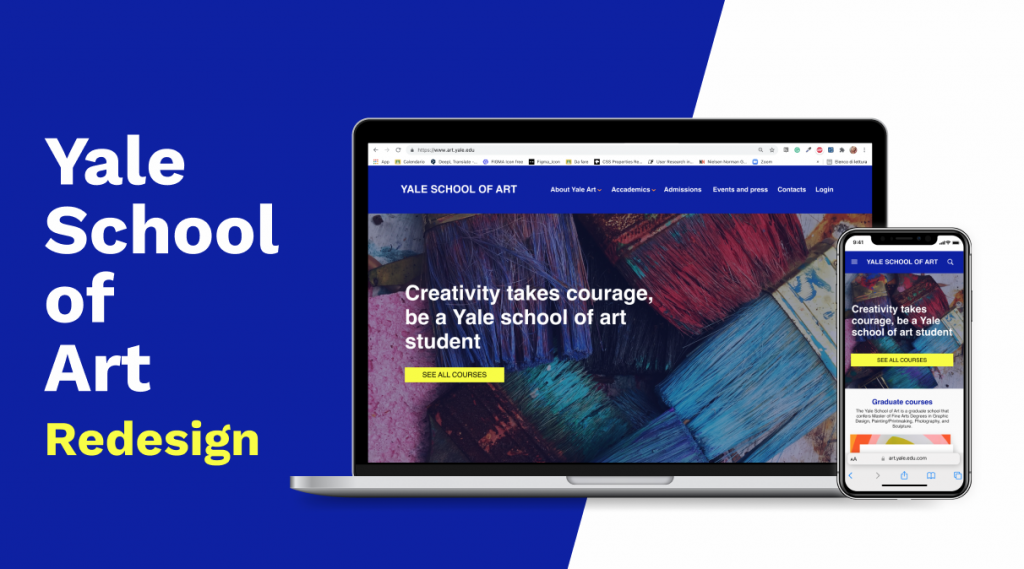
My goal for this project was to redesign the responsive website for the prestigious Yale School of Art in 5 days
Team
1 teammate
Role
User Research
UI design
Duration
5 days (Ironhack Bootcamp)
Deliverables
High-fidelity prototype of the responsive website and mobile App
HTML CSS of the website
research
What's Yale School of Art?
The prestigious Yale School of Art is located in New Haven, Connecticut, United States.
Is a graduate school that offers students many courses including Graphic Design, Photography, Sculpture, Painting and Printmaking.
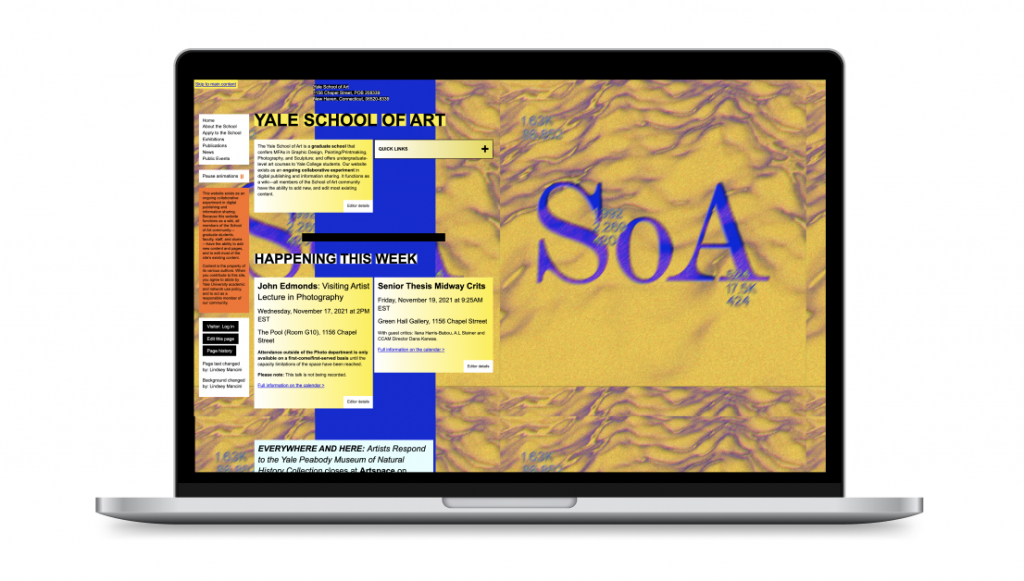
What about the existing website
Here are the pain points we found
The website is chaotic and confused
The navigation bar is missing. This makes it more complicated to search the information between web pages
Color palettes and shades used in this way add clutter and confusion to web pages
methodology and INTERVIEWS
The first step was to find an effective methodology for conducting research, leading to concrete results. We started interviewing students, who had applied to online courses of public and private universities, to understand what problems they had encountered during their experience and how we could help new students not to repeat the same mistakes with our new solution
BENCHMARKING
We analyzed 9 competitors websites compared to the existing Yale School of Art website, focusing on the user experience of the application process for a course, navigation between the pages and UI
CONTENT AUDIT AND TREE TESTING
We did a content audit and tree testing of the existing website to understand better the problems of the architecture and know how to improve the navigation in our new solution
Problem definition
At this point I had all the data needed to define the problem that the interviews and benchmarking helped me to collect
problem statement
The students who would like to attend one of the courses of Yale School of Art are frustrated because the existing website is chaotic and it is really hard to find all the informations needed.
If we could solve this problem, users could apply to every course in the easiest way without any doubt. It would also benefit the client itself by receiving more applications directly from the website.
User persona
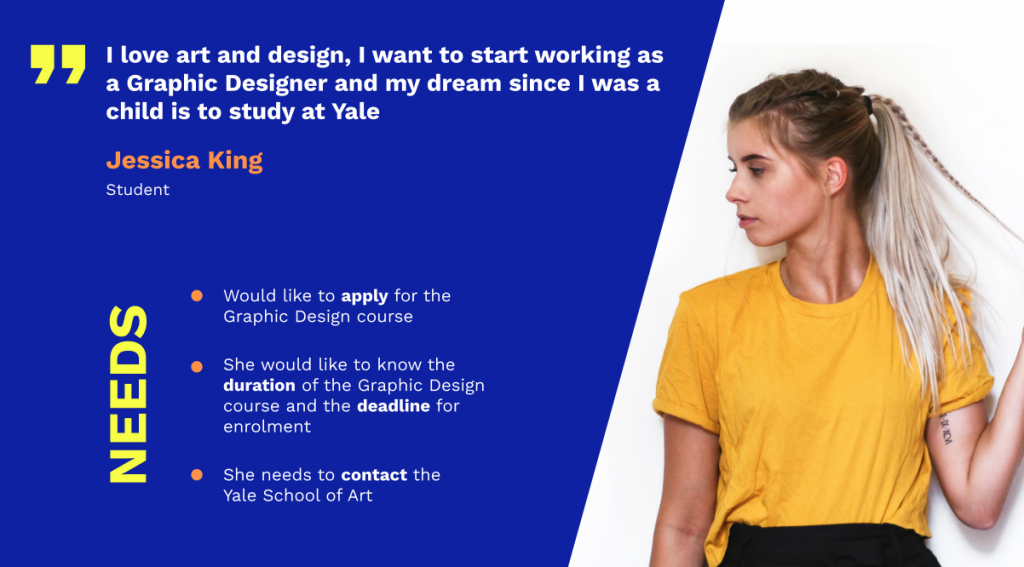
We asked ourselves, who do we design for? Who is our user? What needs do he has and how can we help him through our design to achieve his goals in the easiest and most intuitive way?
Let me introduce you to Jessica King
Ideation
Once the problem and user are defined, it’s time to start thinking about how to help her find an effective solution
How we want to improve the existing website with our design?
NAVIGATION:
Clear and compact navigation bar
CONTENT:
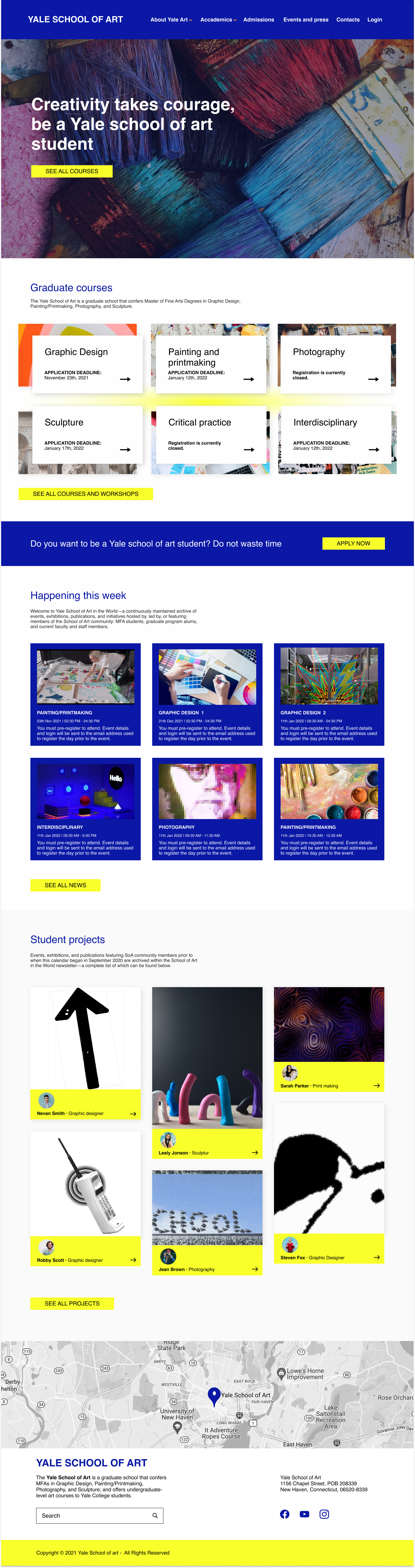
Possibility of enrolling in any course directly from the home page
Student projects section
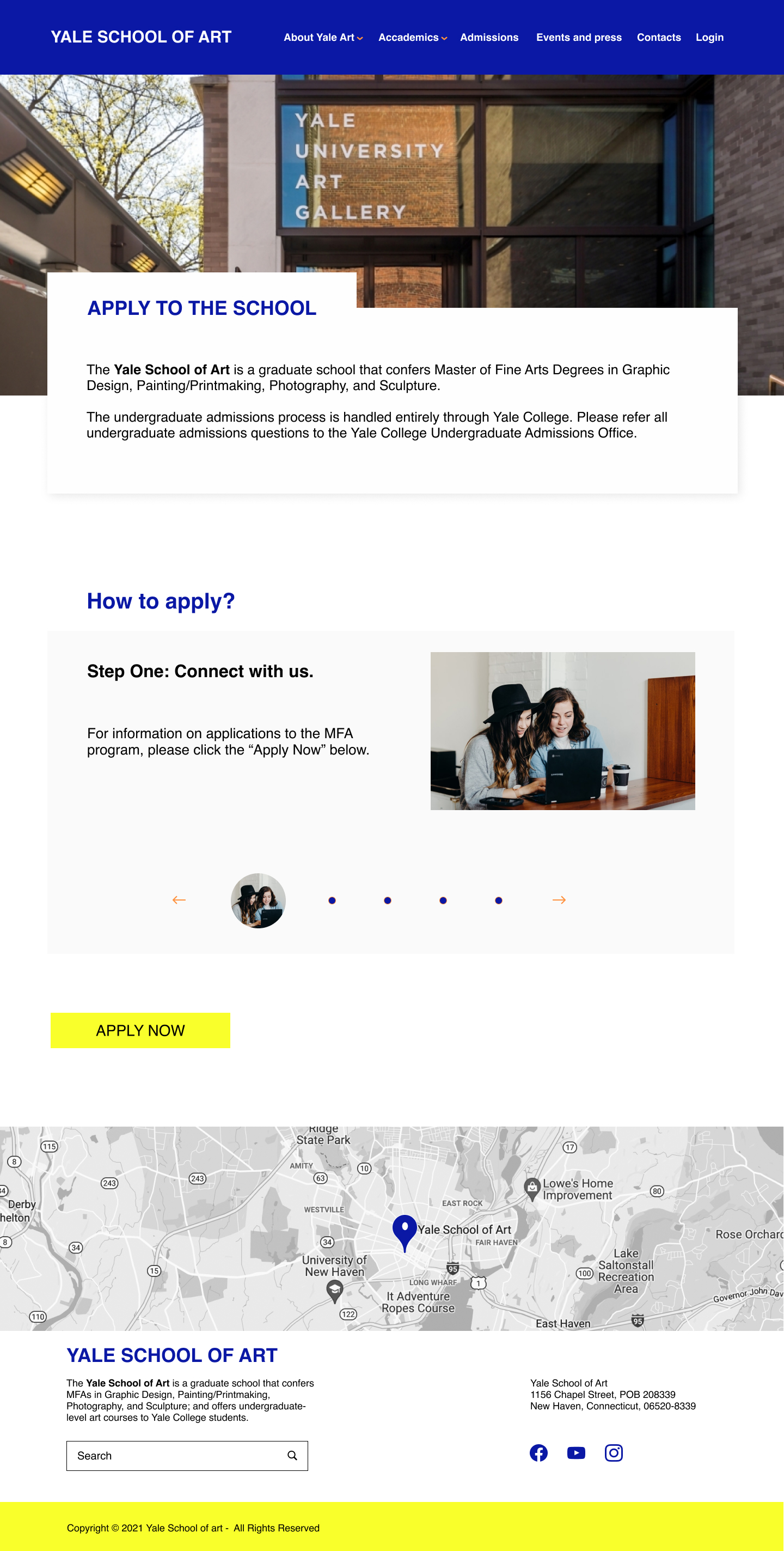
How to apply for courses: step-by-step procedure
Clear indications about the courses (start / duration) and teachers team
INFORMATIONS:
Creation of pre-filled forms to request information
SOLUTION
Now it’s design time! Starting from the style tile up to the complete prototype
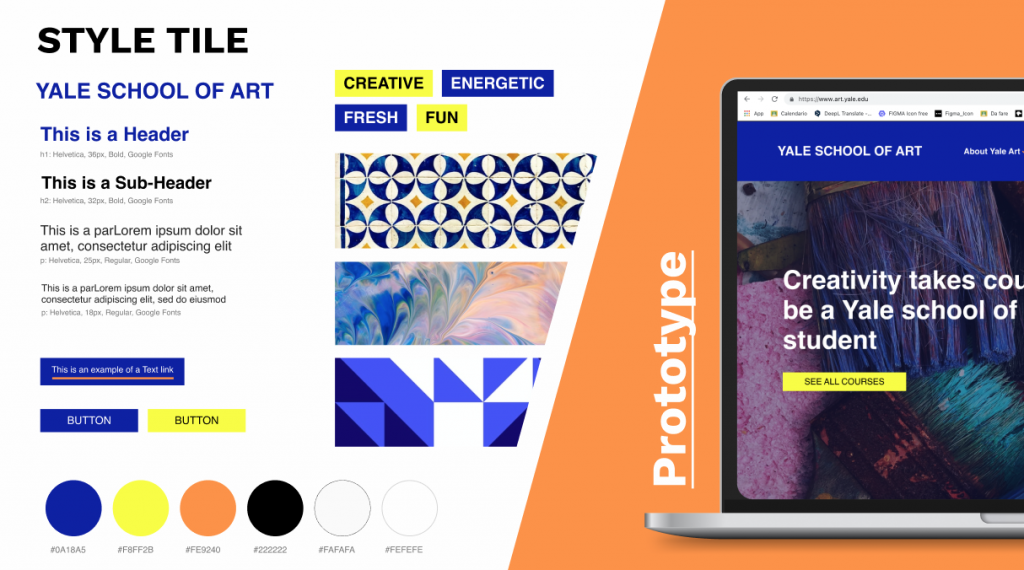
STYLE TILE
After carefully analyzing the UI of the existing website and many variations, we chose the following style tile taking into account the main goal of giving the new website a professional but at the same time creative, energetic, fresh and fun
prototype
homepage
APPLICATION page (step 1)
RESPONSIVE WEBSITE
Fully responsive website
Optimization of the content for small and big screens
User can perform all actions easily from all devices
ITERATIONS
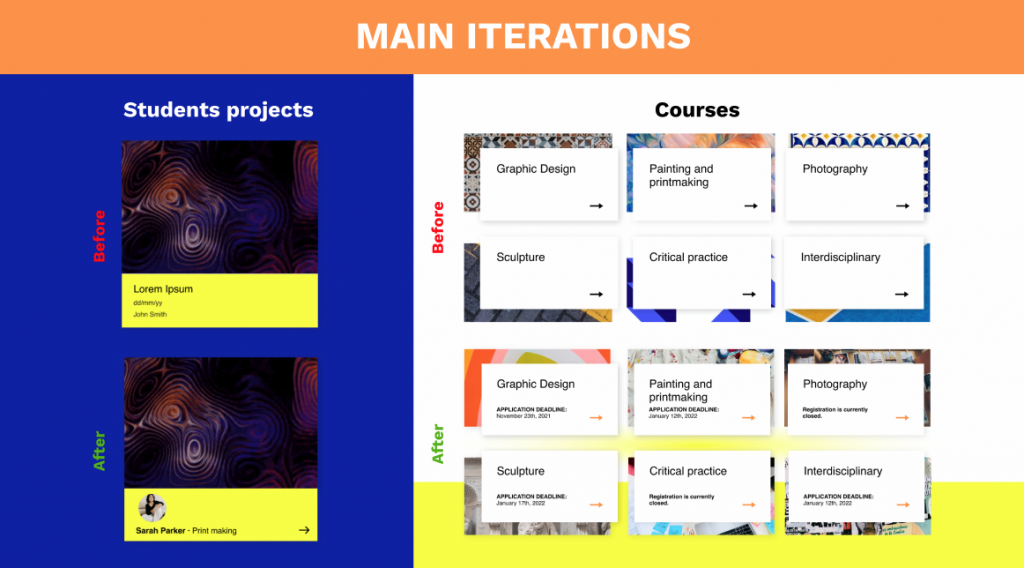
It was a long process the one that get us to the final prototype you just saw. We conducted two rounds of usability testing that led us to modify and then improve the prototype up to the final one. Let's see the main ones:
For the students projects we added a label with the name of the course to help our users understand the category of the project.
For the courses, in the homepage, we found out that it was important for our users to know in the first screen the application deadlines or the registration status.
WHAT'S NEXT
NEXT STEPS
Test the high fidelity prototype for all screens
Improve the html and css of the website
Design all the sections of the website
NEXT time
Organize better the html and css from the start to be faster while editing or changing elements