Close
Type at least 1 character to search
Back to top

Legaleasy

BRIEF

The challenge is to design a minimum viable software product that will streamline the lawyers' processes according to their needs and frustrations with the current LexNet software and all the manual processes they do nowadays

team

2 teammates 

Role
  • User Research
  • UI design
Duration

2 weeks (Ironhack Bootcamp)

Deliverables
  • High-fidelity prototype of the MVP for desktop
  • Roadmap for next 2 post-launch phases
  • Landing page

research

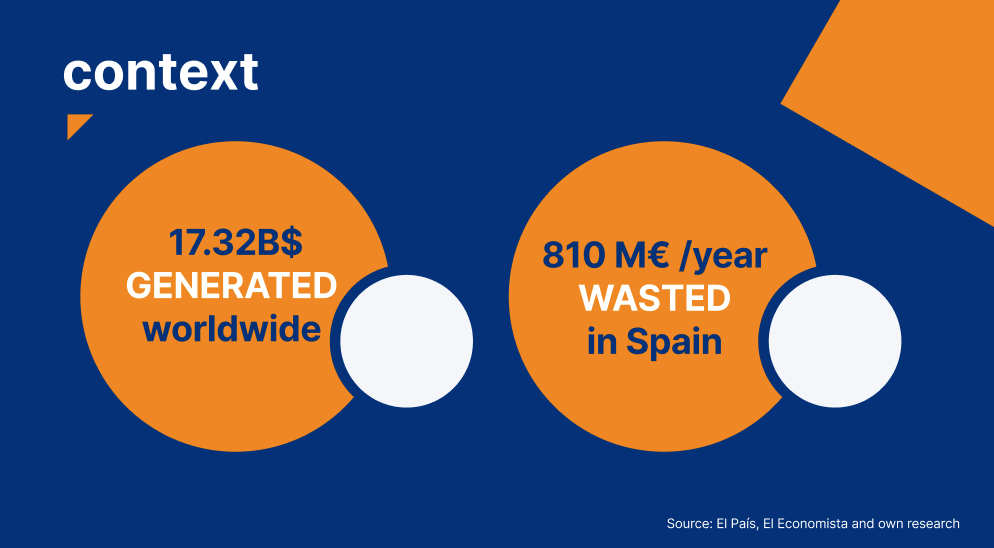
CONTEXT

During the last few years, technology has slowly made its way into the legal world. But due to the pandemic, this has dramatically accelerated for two reasons:
● Legal professionals have seen the need for their work not to depend so much on manual and face-to-face skills. In addition, once these professionals have started using technology, they have seen how much it can contribute and are now more prone to it.
● Competitiveness is causing offices to be as efficient as possible.

interviews

The main obstacle for this project was to understand in a short time how the law firms carried out their daily work, with what technological tools and problems they encountered.

To do this we initially carefully analyzed the data collected following 20 interviews, made to Spanish lawyers, directly by the clients. These figures, however useful, were not sufficient to answer our doubts regarding this sector.
We have therefore carried out other in-depth interviews: one Junior Lawyer and one Senior Lawyer from separate Law Firms.

We have also made benchmarking to better know the software already existing on the market and identify the deficiencies


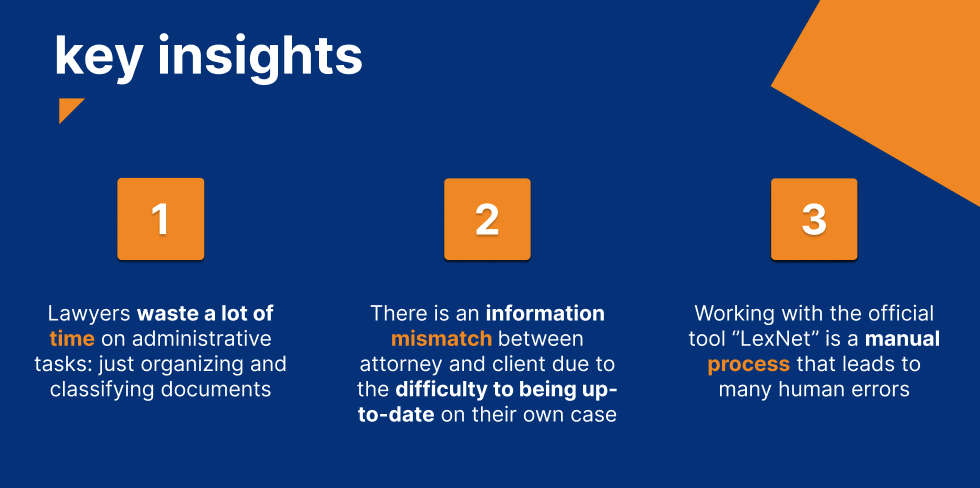
KEY INSIGHTS

The analysis of all these data led us to identify 3 key insights

problem definition

At this point we had all the data needed to define the problem that the interviews and benchmarking helped us to collect

PROBLEM STATEMENT

Lawyers are frustrated that they have to spend more than 2 hours a day classifying documents. They receive a large amount of important court notifications every day which they organize manually.

Solving this problem, would have a huge impact on lawyers. By streamlining the process lawyers time could be used more efficiently to complete other more important tasks.

what's the solution

Legaleasy would use the latest in AI technology to help streamline the administrative process for lawyers. By integrating Lexnet Legaleasy would automatically categorize court notifications.

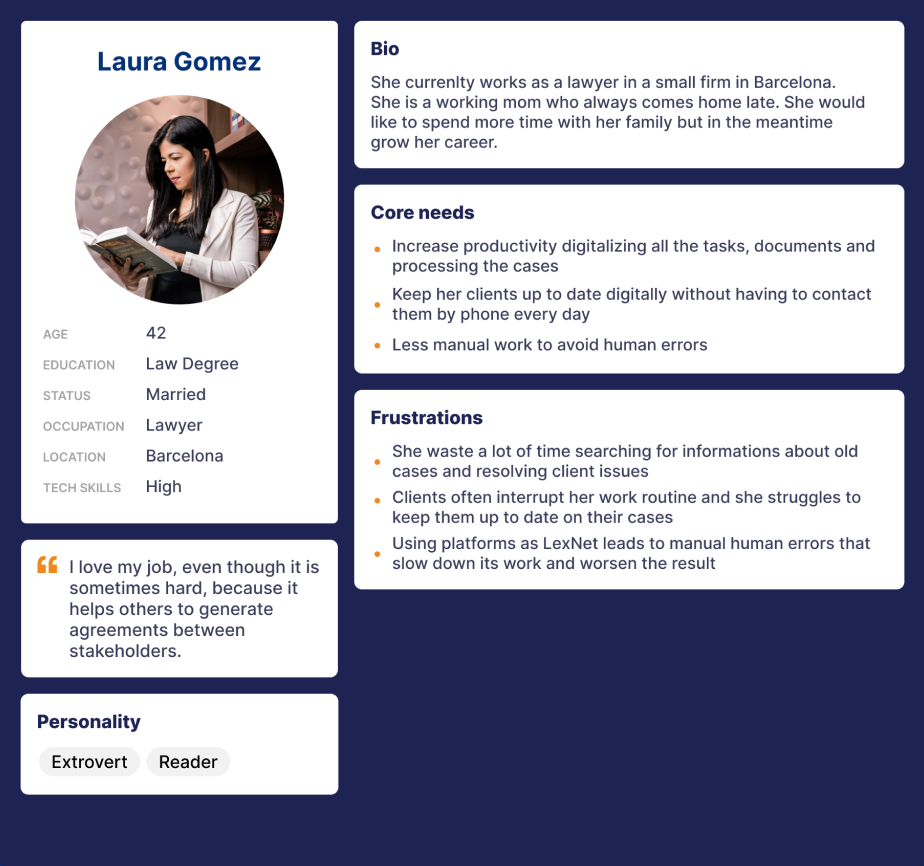
User personas

Lawyer

client

scenario

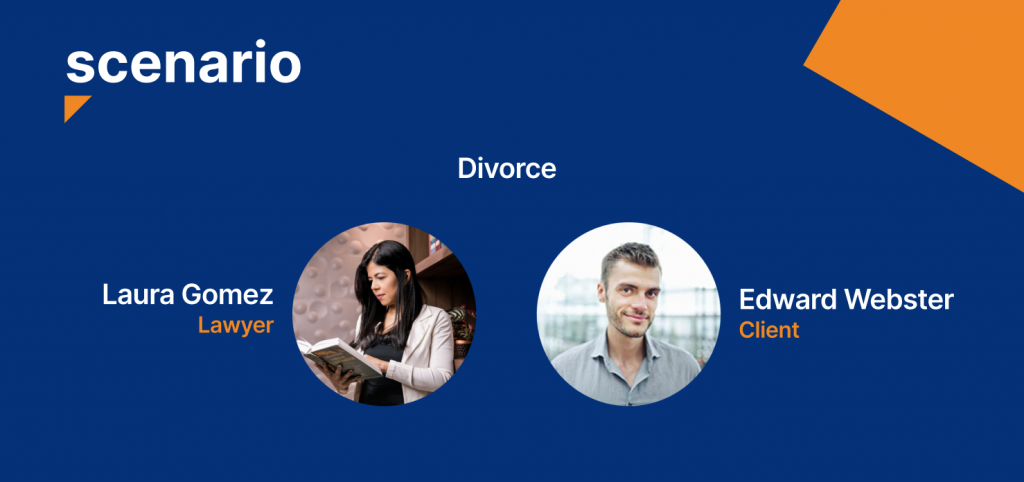
Laura recently received an enquiry regarding assistance with an amicable divorce.

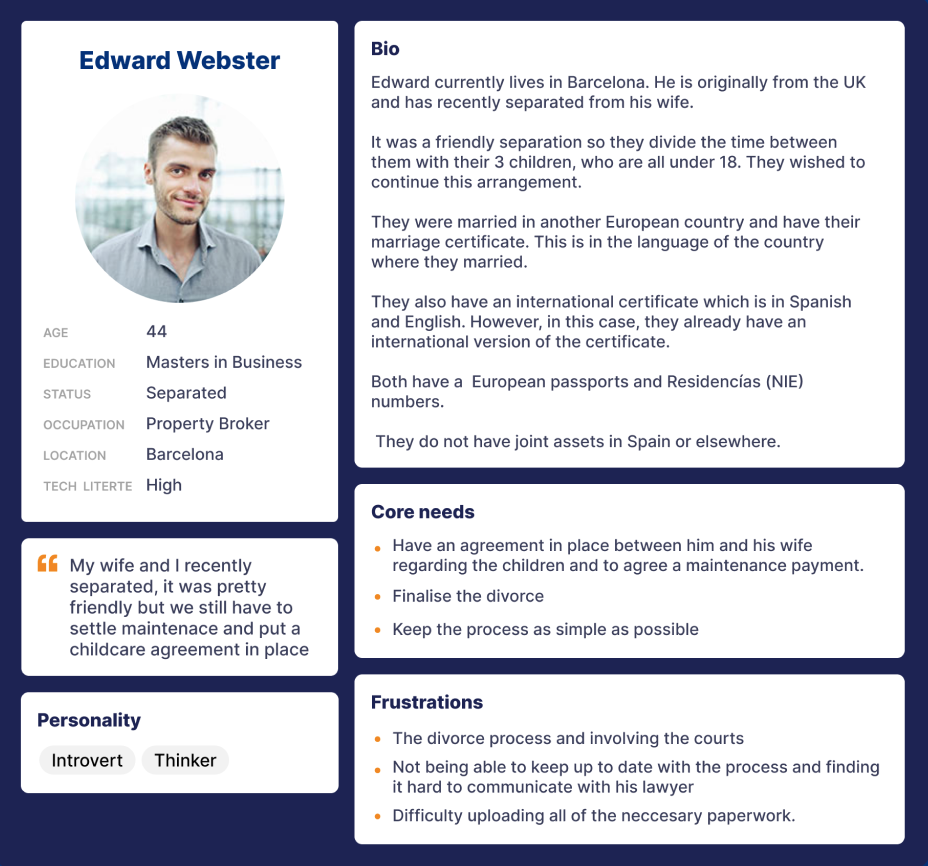
Edward, explained that the split with his wife was friendly. They divide the time between them with their 3 children, who are all under 18. They wished to continue this arrangement.

Both of them live in Spain. However, they do not have joint assets in Spain or elsewhere.

Laura accepted the case and scheduled an appointment with Edward to discuss the next steps.

visual design decisions

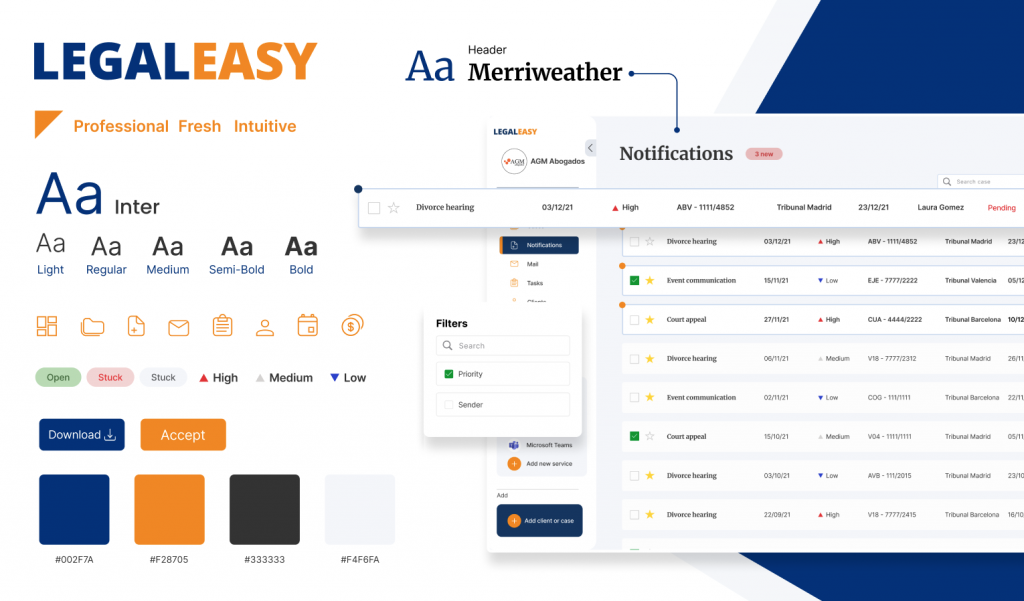
Legaleasy, had to be professional, fresh and intuitive. We used a typography that can be traced back to the tech world (Inter, sans serif) and one, for the headers, that was more familiar to lawyers (Merriweather, serif)

PROTOTYPE

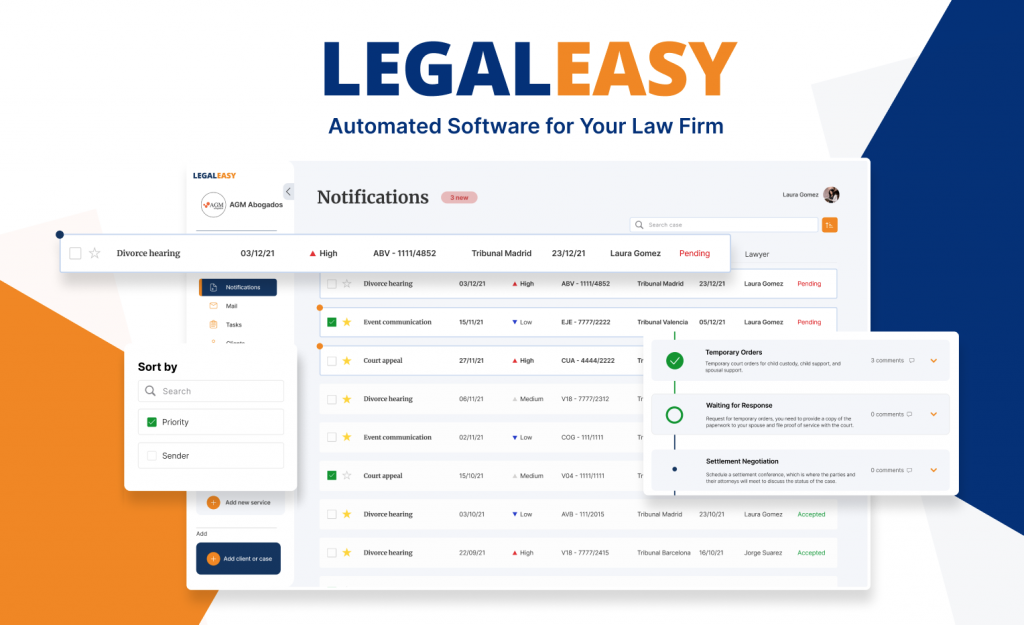
And now let see the final solution that we designed. In this video you will see, not only the software for the lawyers, but also how the lawyer can share all the informations and updates with the client

key features

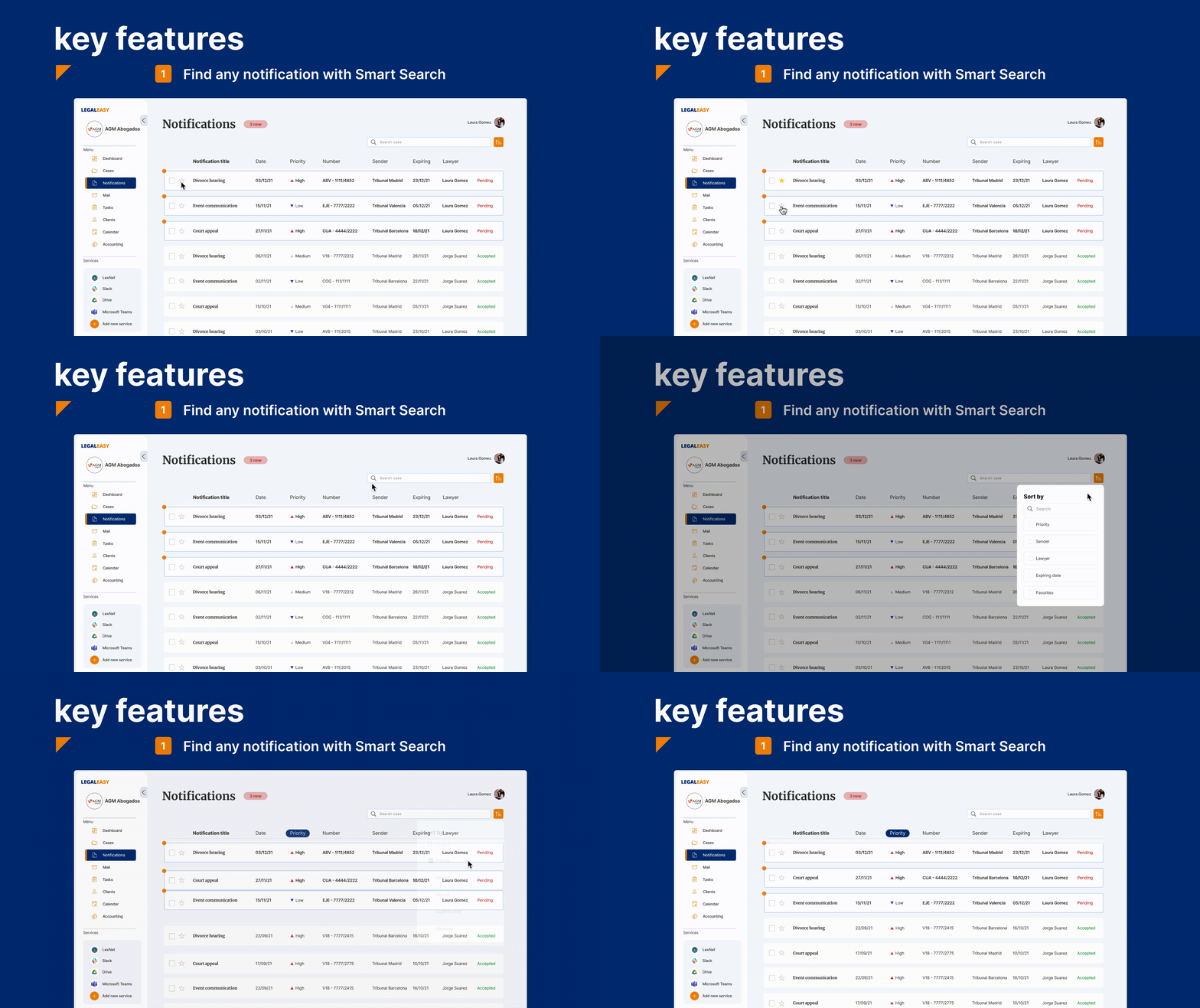
1- Smart Search for notifications

With the Smart Search the lawyer can find and classify all the notifications or set as favorites one or more of them. He can also sort them by priority, sender, lawyer, expiring date and favorites. This help the lawyer to have an overview on all the tasks that he needs to do and in which timing

2- Communication with the client

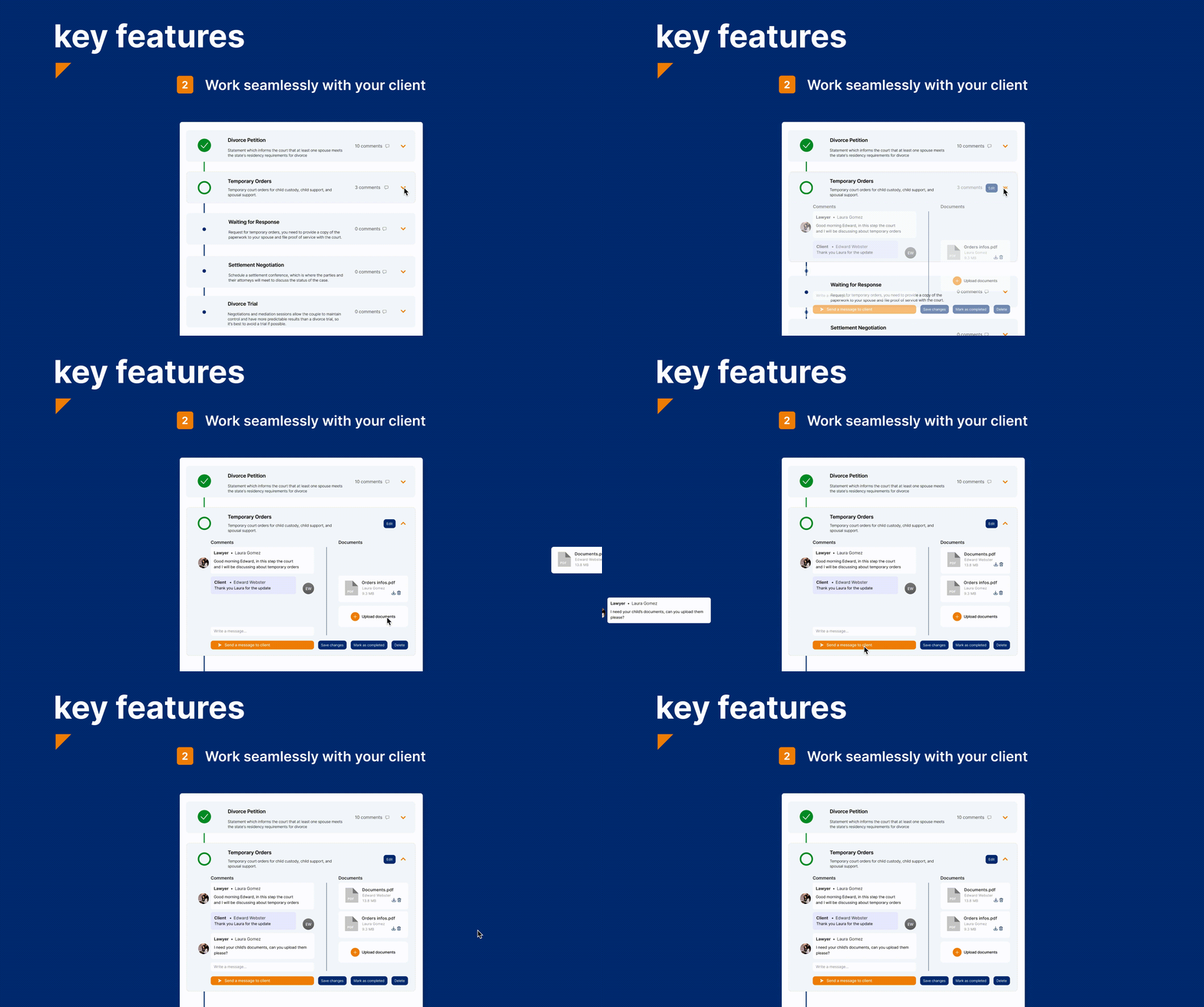
Our research showed us that it was important for the lawyer to work seamlessly with the client and that's why we add the case tracking feature. The lawyer and the client can see all the steps of the case, open one single step and upload documents or send messages.

ITERATIONS

To arrive to the final prototype that you just saw we did a 2 rounds of usability testing and iterations and this are the main ones

iteration 1 - cases page

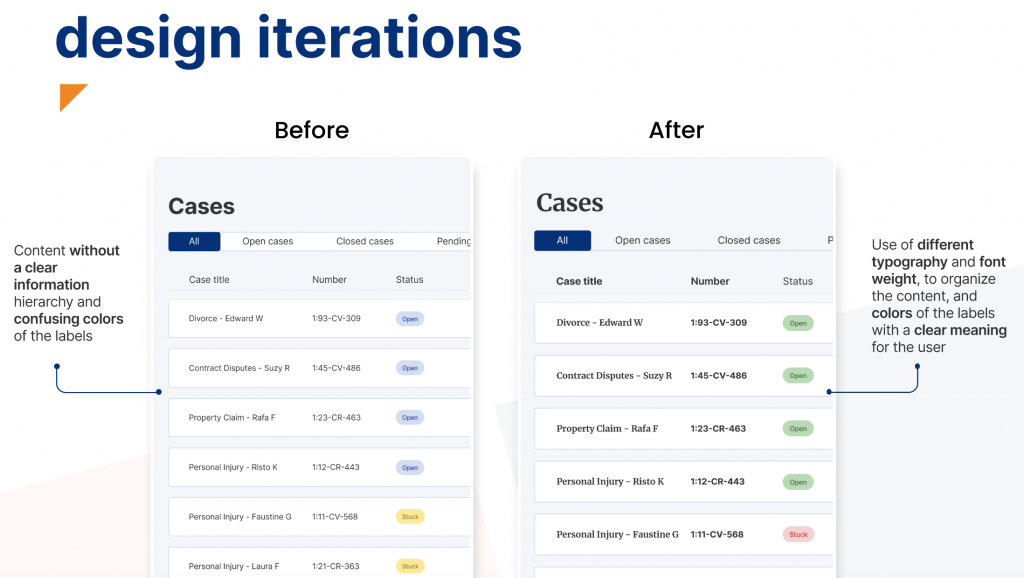
In our first prototype the content was without a clear information hierarchy and the color that we used for the labels where confusing, so what we did was to use a different typography and font weight to organize better the content and change the color of the labels that now have a clear meaning for our users

iteration 2 - priority icon

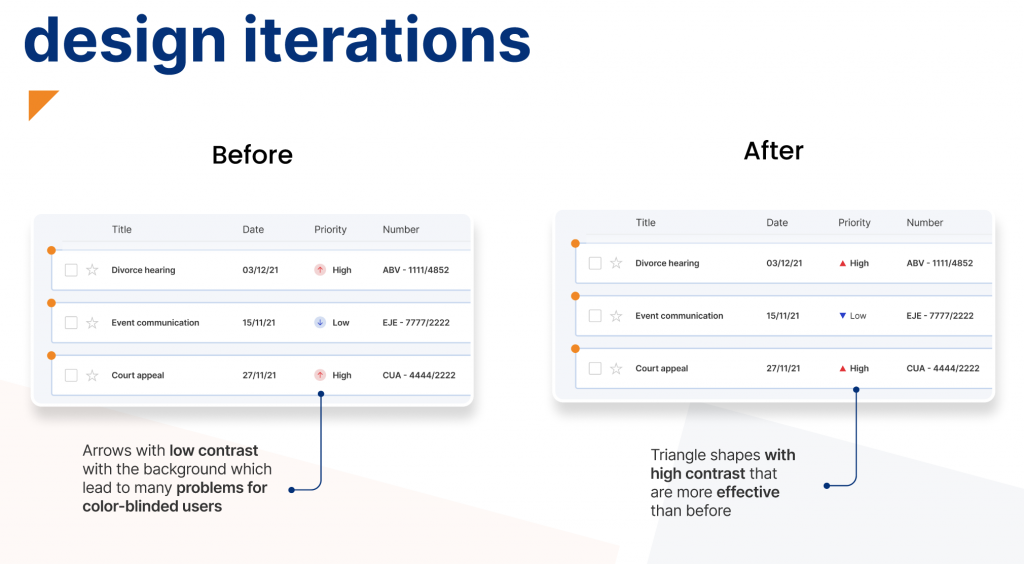
We also had to change the icon that we used for the priority. At first we used an arrow icon with low contrast with the background that lead to many problems for the color-blinded users. So we changed it with a clear triangle shape with high contrast that could work also without the color and we figured out that it was more effective for our users

iteration 3 - case tracking

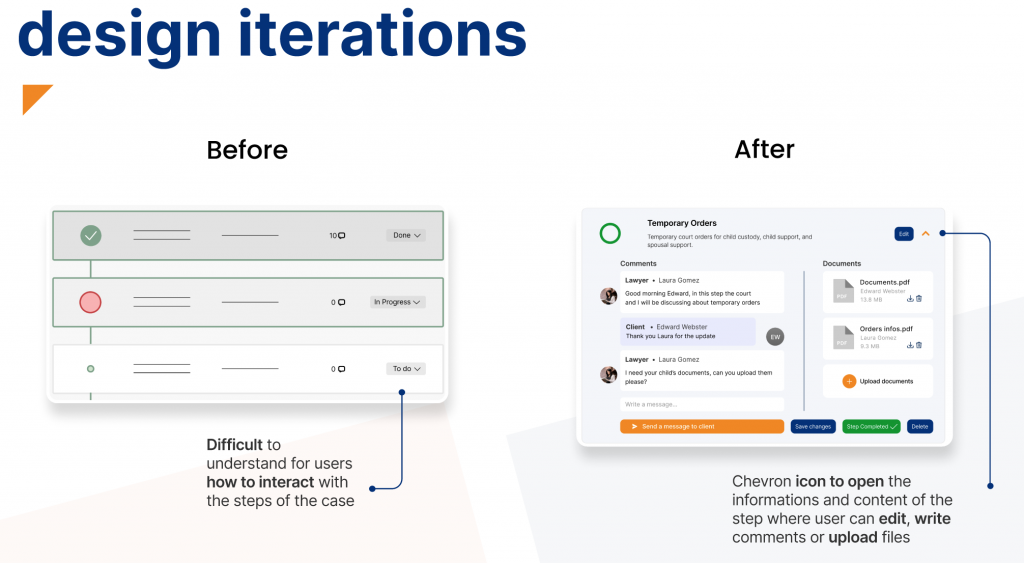
It was very difficult for our users to understand how to interact with every single step of the case so what we did was to add a chevron icon to open the step and see all the content with the informations that the user can edit, write comments or upload files

landing page

We also designed the Landing Page to help the users understand better how to use the software by explaining all the key features, the integration of the Artificial Intelligence and how to communicate quickly with the client trough the software 

next steps

  • Develop accounting and clients section
  • Further work on Artificial Intelligence
  • Design the mobile app

If you arrived till here reading...

thank you!!